django-cotton-gallery
Drop-in playground for Django Cotton component libraries — annotated, copy-and-pasteable, themable.
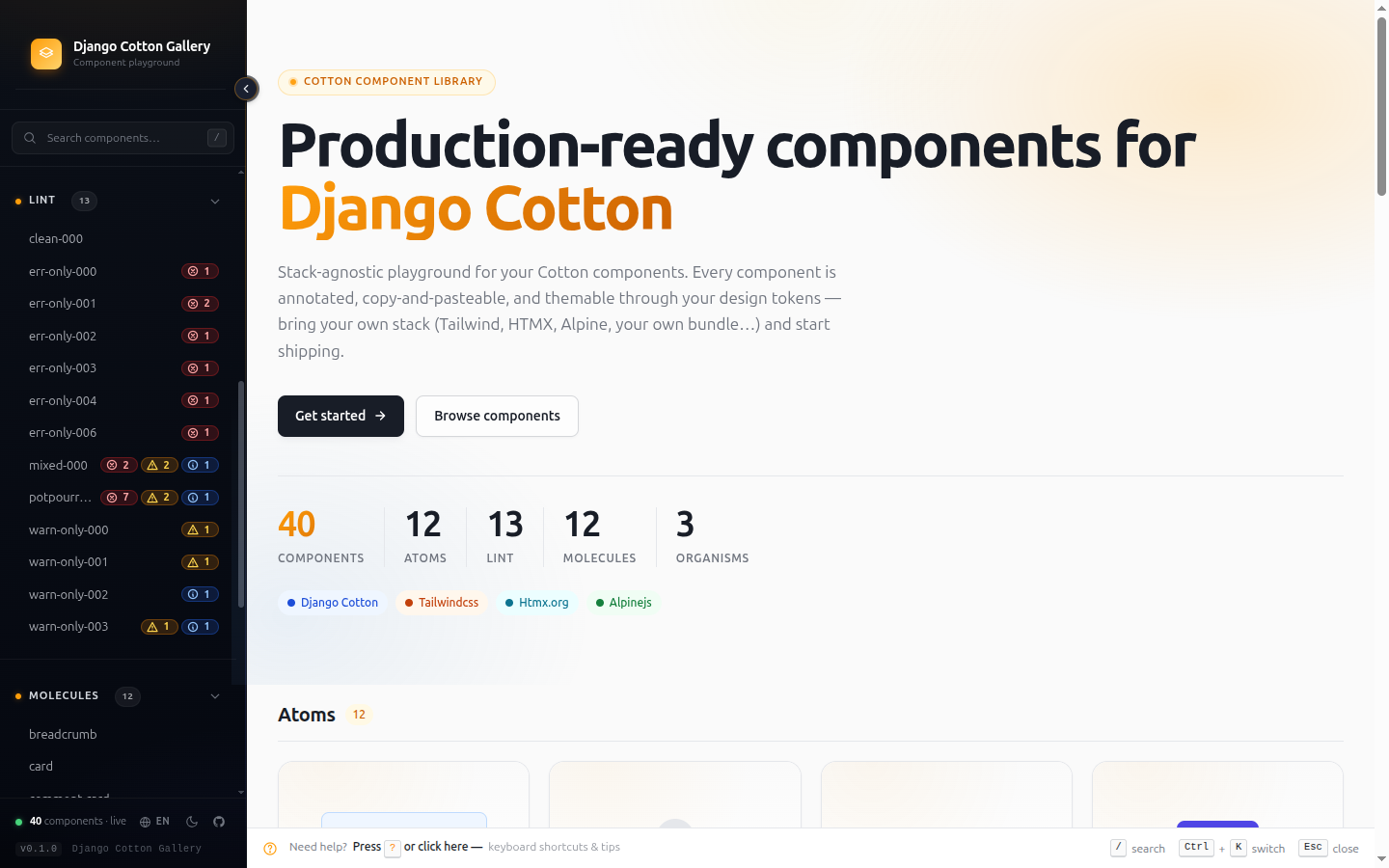
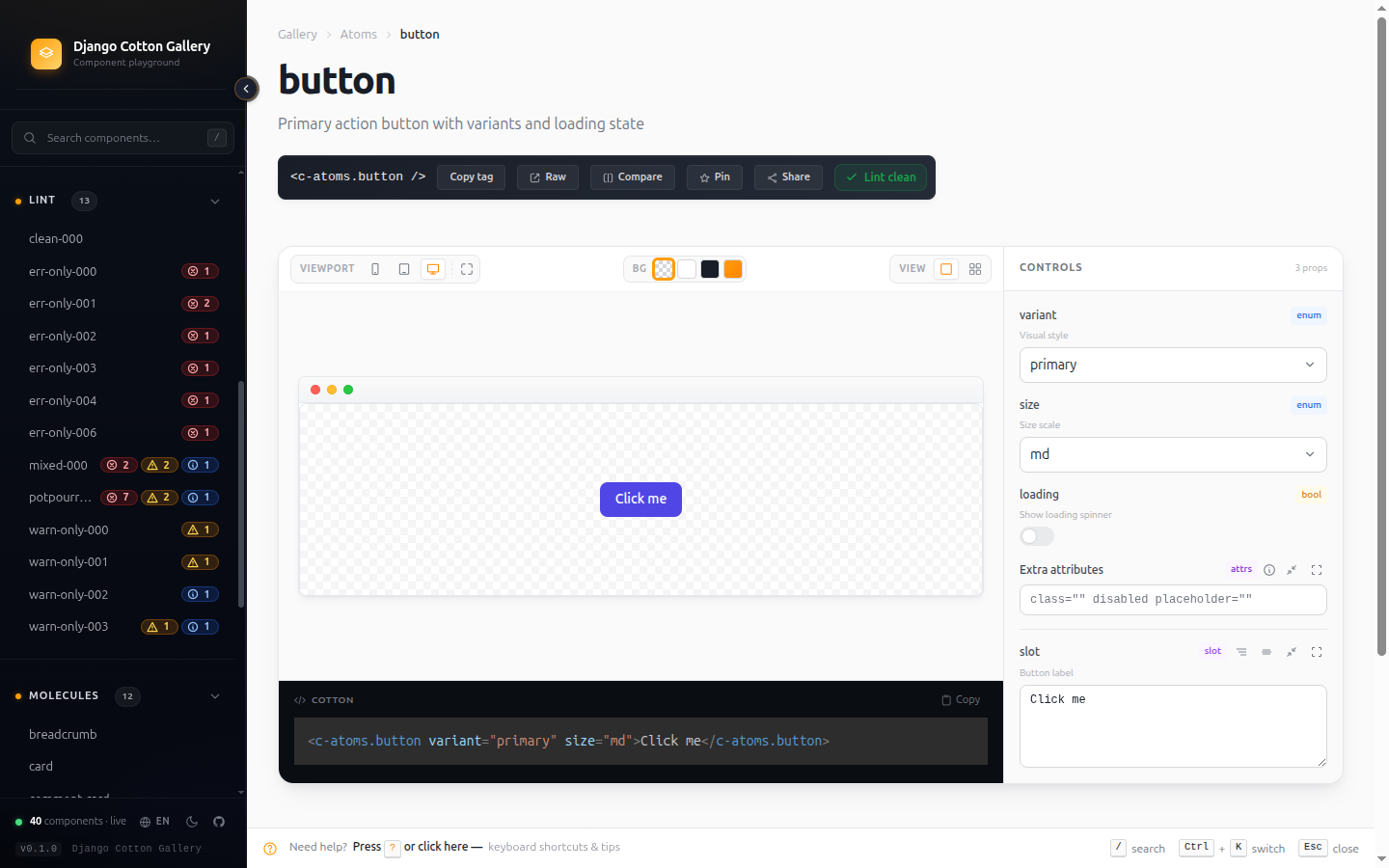
A complementary library to django-cotton that adds:
- Live preview with controls auto-generated from
@propannotations — browse, tweak, and copy any component. - Lint report + Insights dashboard for catalog hygiene (coverage, health score, deprecated, zombies).
- Ctrl+K quick switcher, side-by-side compare, a per-component dependency tree, and an annotation builder.
- i18n out of the box (EN/ES/EU/FR) and a
cotton_lintmanagement command for your CI.
→ Features
Why
Django Cotton lets you build component-shaped templates. But once you have 30+ components in templates/cotton/, you need a way to browse them, preview them, and remember what props they take. This library is that surface.
Drop @prop comments on your components and the gallery picks them up — see Annotations.
Compatibility
| Versions | |
|---|---|
| Python | 3.10, 3.11, 3.12, 3.13 |
| Django | 4.2 LTS, 5.0, 5.1, 5.2 LTS, 6.0 |
| OS | Linux (full matrix CI), Windows + macOS (smoke tests) |
Quickstart
Three small edits and python manage.py runserver — that's it.
1. Install
The gallery is a development-only tool, so installing it as a dev dependency with uv is recommended — it stays out of production (uv sync --no-dev leaves it out):
Prefer pip? That works just as well:
2. Add the apps
The gallery assumes you already have django-cotton set up — recent cotton versions auto-register their template loader and builtins when you add django_cotton to INSTALLED_APPS, so usually there's nothing else to do on cotton's side.
# settings.py
INSTALLED_APPS = [
    # ...
    "django_cotton",            # already there if cotton is set up
    "django_cotton_gallery",
]
That's all the gallery itself needs to wire up. Cotton's own settings (COTTON_SNAKE_CASED_NAMES, COTTON_DIR) belong to cotton, not to this gallery — the gallery indexes whatever cotton finds.
If you also use DJANGO_COTTON_GALLERY_EXTRA_CSS / _EXTRA_JS to inject Tailwind, HTMX, Alpine or your own bundle into the gallery's pages, you'll also need to wire one context processor — see Asset injection.
3. Mount the URL
The gallery owns its own URL prefix (/django-cotton-gallery/), so just include it at the root:
# urls.py
from django.conf import settings
from django.urls import include, path

urlpatterns = [
    # ... your real app URLs
]

# Gate the gallery — it exposes component source code, do NOT ship to prod.
if settings.DEBUG:
    urlpatterns += [path("", include("django_cotton_gallery.urls"))]
4. Run it
Open http://localhost:8000/django-cotton-gallery/. If you don't have any components yet, the empty state walks you through creating the first one.
→ Continue to Getting started for production access patterns (staff-only, feature flags) and the first annotated component example.
License
MIT — see LICENSE.