Getting started
Three edits and runserver — that's it.
1. Install
The gallery is a development-only tool, so the recommended way to install it is as a dev dependency with uv — it stays isolated from your runtime deps and never lands in production:
Then uv sync locally, and uv sync --no-dev in your production build so the gallery is simply absent there. See the security notes for why that's the cleanest guarantee.
Prefer pip? That's a perfectly valid way to install too:
Either way, this pulls in django-cotton and Django>=4.2,<7.0 automatically.
2. Add the apps
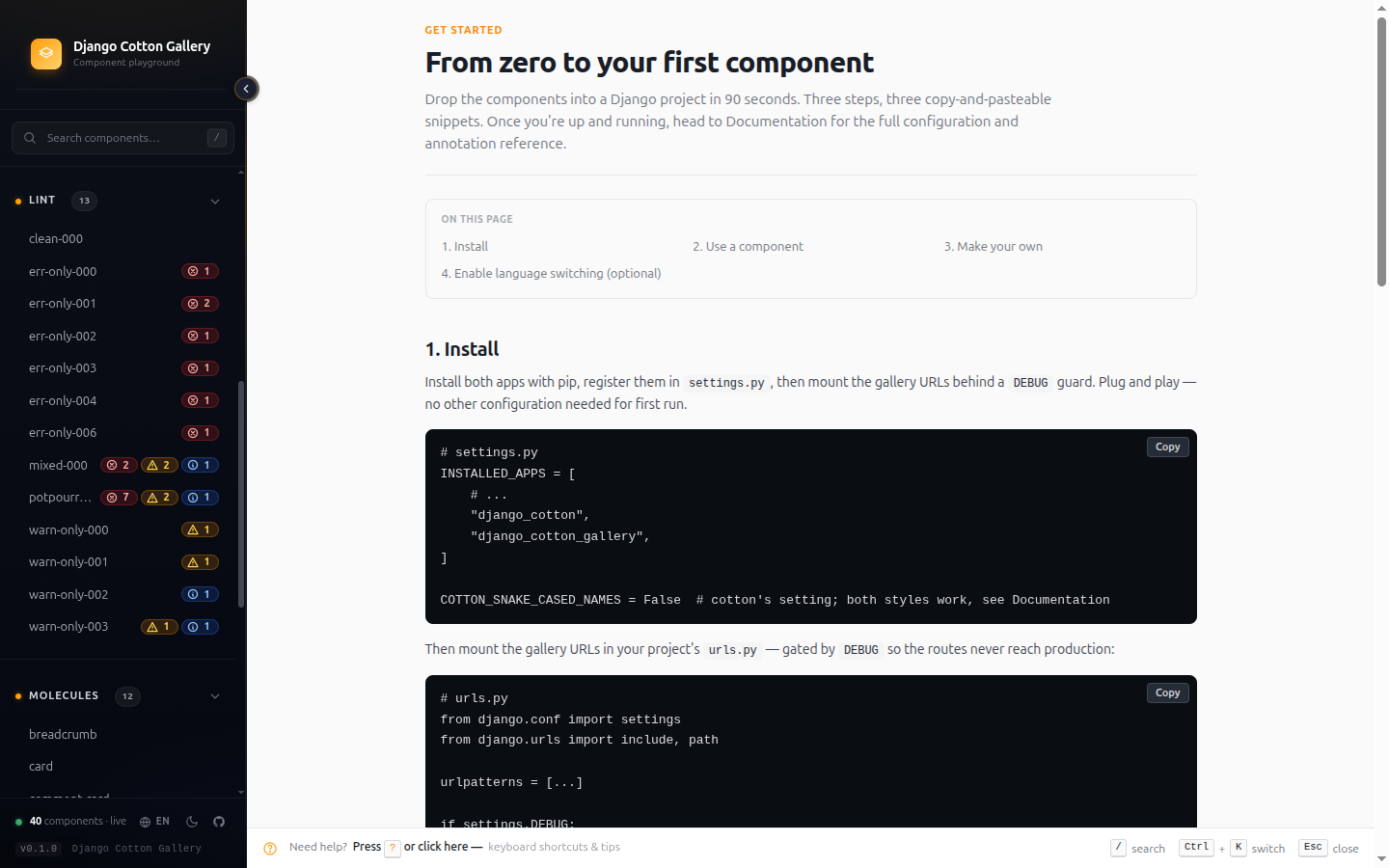
# settings.py
INSTALLED_APPS = [
    # ...
    "django_cotton",            # already there if cotton is set up
    "django_cotton_gallery",
]
Cotton template setup
Cotton itself (loaders, builtins, kebab vs. snake) is configured by django-cotton, not by this gallery. Recent cotton versions auto-register their loader and builtins when you add django_cotton to INSTALLED_APPS, so usually there's nothing else to do. If you haven't set up cotton yet, follow Django Cotton's quickstart.
3. Mount the URL
The gallery owns its own prefix (/django-cotton-gallery/), so include it at the root of your urls.py:
# urls.py
from django.conf import settings
from django.urls import include, path

urlpatterns = [
    # ... your real app URLs
]

# Gate the gallery — it exposes component source code, do NOT ship to prod.
if settings.DEBUG:
    urlpatterns += [path("", include("django_cotton_gallery.urls"))]
Restrict access before going to production
The gallery exposes the source code of every component in templates/cotton/, plus a live preview surface. The if is yours — settings.DEBUG, a custom flag, an env var, whatever fits. The library reads no flag of its own; whenever it detects its URLs are wired in the running process, it emits a startup warning so you never deploy it by accident.
4. Open the gallery
Visit http://localhost:8000/django-cotton-gallery/. Your components appear in the sidebar, each with a thumbnail in the index and a detail page with controls for every declared prop. If you don't have any components yet, the empty state walks you through creating the first one.
Where can your components live?
Cotton — and the gallery — accept any .html file under cotton/. The folder structure is your call:
| Layout | Tag | Notes |
|---|---|---|
cotton/button.html |
<c-button /> |
Loose component, no category folder |
cotton/button/index.html |
<c-button /> |
Same component as above (cotton's index fallback) |
cotton/atoms/button.html |
<c-atoms.button /> |
Categorised — sidebar groups it under "atoms" |
cotton/atoms/button/index.html |
<c-atoms.button /> |
Categorised + index pattern (good for components with siblings like <button>.test.html) |
cotton/atoms/forms/input.html |
<c-atoms.forms.input /> |
Sub-categorised |
The first folder under cotton/ is the category (sidebar group). Components without a category folder show up in a separate "Components" group at the end. Conflict rule: when both <dir>.html and <dir>/index.html exist, the sibling file wins (matches cotton's resolution order).
To make a component come alive with live controls, drop @prop comments on it — see the Annotation reference for the full syntax and a copy-paste example.
Optional next steps
- Locale dropdown? See Configuration → Enabling the language switcher.
- Lint in CI? The same checks ship as
python manage.py cotton_lint— see Features →cotton_lint.
What's next
- Features tour — every feature with screenshots and the why-it-matters pitch.
- Configuration — every setting the gallery reads (categories, ordering, asset injection).
- Annotation reference — full syntax for
@prop,@slot,@trigger,@description.
Common issues
The gallery shows no components
Two possible causes:
- The gallery cannot find your
cotton/folder. It looks in everyTEMPLATES[*]['DIRS']entry and in each installed app'stemplates/cotton/. If your folder is somewhere Django itself can't resolve, neither cotton nor the gallery will see it. Check that you have either'DIRS': [BASE_DIR / 'templates']or your components inside an app'stemplates/cotton/. - You set
COTTON_DIRto something other thancotton. The gallery reads that setting too.
Helpers and snippets that aren't components should be prefixed with _ (e.g. cotton/_helpers/snippet.html) — anything starting with _ is skipped by the catalog scan.
I only see the 'Django Cotton' badge in the hero — no Tailwind / HTMX / etc.
Two requirements have to be met for the dynamic dependency badges to render:
- You must declare your asset URLs. The detector reads them from
DJANGO_COTTON_GALLERY_EXTRA_CSSandDJANGO_COTTON_GALLERY_EXTRA_JSinsettings.py. URLs injected via the_extra_head.htmlpartial are intentionally not parsed (see Asset injection). - You must wire the
gallery_assetscontext processor. Opensettings.py→TEMPLATES[0]["OPTIONS"]["context_processors"]and add"django_cotton_gallery.context_processors.gallery_assets". Without it, even declared URLs render as empty.
The "Django Cotton" badge is hardcoded in the hero template — it always shows regardless of these two settings, so seeing only it is the canonical signal that one of the two above is missing.
I see TemplateDoesNotExist for django_cotton_gallery/base.html
Make sure "django_cotton_gallery" is in INSTALLED_APPS and that app_directories.Loader is in your loaders list (it usually is).
The component renders but my CSS isn't applied
The gallery has its own chrome but does not import your stylesheets. Two ways to inject yours:
- URL list — add
DJANGO_COTTON_GALLERY_EXTRA_CSS = ["..."]tosettings.py. - Inline HTML — drop
templates/django_cotton_gallery/_extra_head.htmlin your project (e.g. fortailwind.config = {...}, design-token CSS variables).
See Configuration → Asset injection for the full table of when to use which.
A component looks broken in the gallery but works in my real pages
The gallery's chrome (sidebar, header, etc.) might be interacting with your component's styles. Open the component's /raw/ URL — it renders the component standalone with zero gallery chrome. If it looks correct there, the gallery's chrome is the variable; if it still looks broken, the bug is in your component or your assets.
For total control of the standalone preview environment, drop templates/django_cotton_gallery/raw.html in your project — the loader will use yours instead of the library's. Keep {{ component_html|safe }} in there and add whatever you need around it.